Build Your Own PC
by
Book Cover & Preview Text
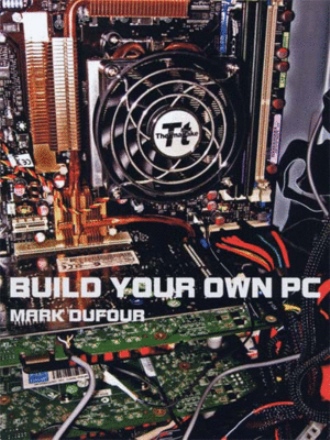
INTRODUCTION (Page 6) Since the introduction of the first PC, things have changed a lot. But the fact is, it is easier now than ever to build your own PC. Lots of hardware compatibility issues have been ironed out. USB now works pretty solid, and graphics formats have been intergrated into the PCI x16 V2 express bus. When I built my first PC in 1999, I went through 7 monitors, 4 CD drives, and 2 sets of speakers before I had a working PC. Everything seemed to conflict with everything ! Now it’s a lot different. Hardware actually works 95% of the time when you install it, At least for windows XP®. I tried Windows® XP® 64 bit, and had some trouble installing some programs. Most utilities simply didn’t work. I tried Vista® about 6 months ago, and I was not impressed. Vista® drivers were scarce especially for older hardware. I returned it. It was one of those free trial offers. If you were to ask me what Operating System You should go with ? I would have to say at this time, stay with Windows®32 bit XP®. Who knows, maybe in the future, you might want to go with Windows® Vista®. CONSIDERATIONS (Chapter 1, page 7) How much is this going to cost me ? Well if you don’t already have them, you’ll need the basics like: Monitor, keyboard, mouse or trekball, printer, and speakers. You will need to buy the case, fans, ( if not included with the case), power supply, (if not included with the case), DVD, and hard disc drives. Then figure how much horsepower do you need, and go from there. You will need to buy the CPU (processor), CPU fan, (if not included), motherboard, and memory. You want to buy as much processor as you can afford. Do you want 2 video cards, one, or none (if you already have onboard video)? You would use 2 video cards in tandem (SLI) for extreme 3D gaming, or a 2 video card 3 monitor setup for a flight simulator. Get the latest video card model that you can afford. New video cards come out roughly every 6 months. If you plan on playing the latest and future video games, you probably want to go with a video card, and not onboard video. Last, a sound card if you decide to go with that option, and not onboard sound. If you want high quality 5.1, or 7.1 surround sound (includes side speakers), or you plan on using FUTURE CONSIDERATIONS / OBSOLESCENCE (Chapter 1, page 7) They say your PC is obsolete when you take it home. If you buy one, then the video and sound are probably built onto the motherboard, and you can’t upgrade it unless you have empty PCI slots. If not then you have to change the motherboard. The power supply is probably too small to handle anything bigger anyway. You will run into problems like this if you try to upgrade. If you build your own, you can upgrade any part of it later. Will my new PC that I build be cheaper than one that I buy ? It depends on how much horse-power that you want. It also depends on how many components that you have already. If you already have a keyboard, mouse, speakers, and a monitor, and you are happy with those, you can use them again on your new PC. If you decide to build a top notch, or midrange 3D gaming machine, then yes you can save money, and have a better, more upgradeable PC at the end. Mobo Combos ( Chapter 4, page 14 ) Another way to get a better deal buying parts is to buy your motherboard, processor, and memory together. This way you can get the combo pretested. This is a big plus for first time builders. Bare bones
Formats Book Details BUILD YOUR OWN PC is an easy to read book with clear instructions, and illustrations that take you through each phase of the building process. The process of building a PC takes a skilled computer tech about an hour or less to complete. Take your time, and build it at your own pace. This book closely works with the motherboard book that accompanies your motherboard. This book, with its seven illustrations, shows you how to go from simple parts to a fully assembled computer step by step. After years of putting this book together, and building computers for myself and others, I tell you the secrets of my strategy for successfully building a computer from Scratch. This manual provides helpful information to help you avoid common pitfalls and costly mistakes. This beginner’s level book also gives you troubleshooting tips you can utilize with any PC. Even a maintenance schedule is provided to help keep your PC running at it’s optimum state. With this book you can build a mid range computer, or a cutting edge gaming PC. You decide which, as you will be choosing the components that you want, and the price range that you want for your dream PC. Mark lives in Massachusetts. He has 31 years of PC computer experience. He has an Associates Degree in Applied Science, with an Electronics major. He is co-inventor of 7 US Patents, and Co-Author of two published papers. Mark enjoys PC simulators (especially flying), PC first person shooter games, photography, and designing electronic circuits.
About the Book
About the Author